
Most small HR teams do not have an HR reporting problem. They have a spreadsheet problem. Headcount lives in one file, leave sits in another, and the overtime figure gets rebuilt by hand the night before a meeting.
If you run HR for a small team, the question is rarely whether you need reports. It is which HR reports to build first, so your numbers are ready before anyone asks. This guide covers HR reports for small business teams that have no analyst and little time. You get eight reports in a sensible order, with the data each one needs and the decision it supports.
What Are HR Reports and How Does HR Analytics Fit In
HR reports are structured summaries of workforce data for a set period, such as a week, a month or a quarter. Each one answers a plain question. How many people work here today? How many left this quarter? Who was absent, and how often? A good HR report has one owner, one data source and one decision it supports. The ISO 30414 standard for human capital reporting sets out guidance on what to measure, and it applies to organizations of all sizes.
Reports track the numbers that matter most to the business, often called key performance indicators, and they show what happened. Analytics goes further. What is HR analytics? It is the practice of studying workforce data for causes and patterns, such as which team loses people fastest and why. Analytics depends on clean data, so small teams get more from building reliable reports first and adding analysis once the numbers can be trusted.
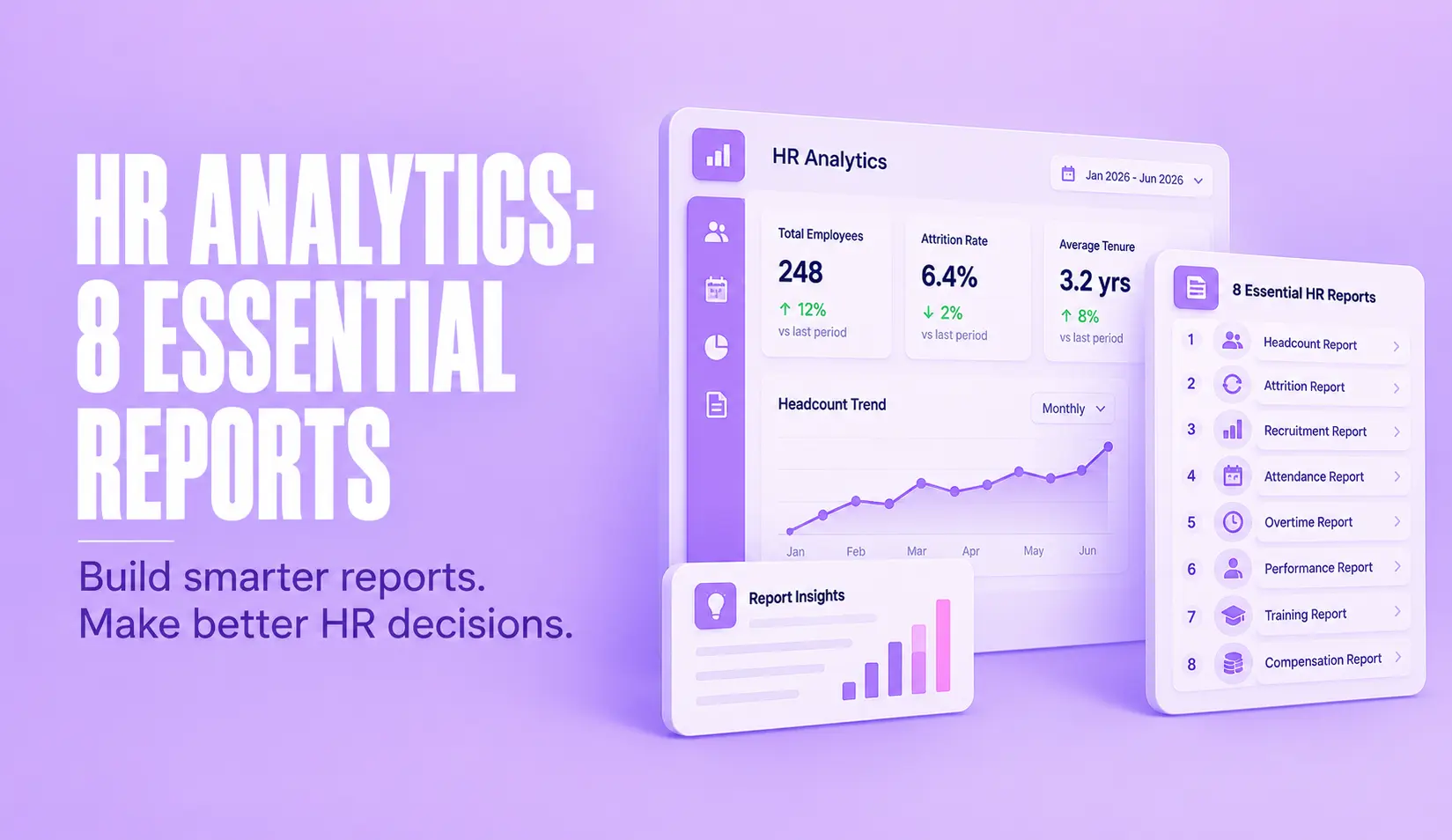
The 8 HR Reports to Build First
Use these HR report examples as your starting set. They cover most of the decisions a small team has to make, and each one builds on the report before it.
Headcount Report
The headcount report lists active employees by department, location, manager and employment type, along with open roles. It comes first because every other rate uses headcount as its base. Pull it from your employee master file and give it one owner. The decision it supports is simple. Do you have the people you planned for, and where are the gaps? Agree early whether contractors count and write the rule down. Good HR reports start with a shared definition.
Turnover Report
The turnover report tracks employee turnover by counting separations and dividing them by average headcount for the period. Follow the Bureau of Labor Statistics approach by splitting voluntary exits from involuntary ones, and note the department and manager. The data comes from separation records and payroll end dates. Run it quarterly, because in a team of 30 one resignation moves the monthly rate by more than three percent. The decision it supports is where to look for retention problems before more people leave.
Hiring Report
The hiring report shows open roles, applicants at each stage, time to fill and offer acceptance. Use it to see where hiring slows down. The data comes from your recruiting tracker or a simple sheet, plus start dates from the employee file. Run it monthly, and weekly while you are actively hiring. It supports one decision, which is whether to change the process or the job offer.
Attendance Report
The attendance report shows hours worked, late arrivals and early exits for each person and team. An attendance management system captures this data at the point of check in, which is far more reliable than a register filled in later. Review it weekly. The decision it supports is whether shifts, locations or schedules need adjusting. It also feeds payroll, so errors here become pay errors later. These reports only work if the raw data is clean.
Absence Report
The absence report separates planned leave from unplanned absence and shows how often each team is short staffed. Look for the pattern, not the single day, such as the same weekday or the same team each month. The data comes from leave records and attendance records. Run it monthly. The decision it supports is whether a team needs support, cover or a conversation. For a deeper look at early warning signs, read about absenteeism in the workplace.
Leave Balance Report
The leave balance report shows how many days each person has taken and how many remain. If your policy carries leave into the next year, it also shows the cost of unused days. Run it monthly from leave records. The decision it supports is whether to encourage time off before year end or to plan cover around busy periods.
Overtime Report
The overtime report shows extra hours by person and team against the hours you planned. Overtime tracking software can pull these hours straight from attendance records, so nobody retypes them. Run it weekly, because overtime is expensive and easy to miss. The decision it supports is whether you need more people, a better schedule or tighter approval rules. Share it with finance, since overtime flows straight into payroll cost.
Payroll Cost Report
A payroll management system holds the figures for the payroll cost report, which shows total pay, allowances, deductions and overtime for each department each month. Compare it with headcount so you can see cost per person, not only the total. Finance and HR should read it together. The decision it supports is whether pay costs are moving in line with the plan. Because it draws on attendance, leave and overtime, it is the report that shows whether your earlier reports are accurate.
How Often to Run HR Reports and Who Should Read Them
Run attendance and overtime weekly. Run headcount, leave balance, absence and payroll cost monthly. Run the hiring report monthly, and weekly while you are actively hiring. Run turnover quarterly, since one resignation can swing the monthly figure in a small team.
Weekly reports are for team leads and the HR owner. Monthly reports go to department heads and finance. The quarterly turnover report goes to senior leadership. Put each report on the calendar with a named owner and an as of date, so everyone knows which snapshot they are reading. If a report never leads to a decision, drop it.
How to Do HR Reporting Without a Dedicated Analyst
You do not need a data team to do HR reporting well. You need discipline in four places. First, keep one employee list as the single source of truth, with an employee ID, hire date, exit date, department, manager and status. Second, give every report one owner. Third, write down how each number is counted, for example whether transfers count as hires. Fourth, save a standard layout so a refresh takes minutes.
If you are starting in a spreadsheet, build one HR report template with a tab for each of the eight reports and the same columns every month. Reuse the same HR report template each month so trends are easy to compare. When the manual copying becomes the slowest part of your week, an HR system that holds attendance, leave and payroll in one place can produce most of these figures for you.
Start With Three HR Reports This Month
You do not need all eight reports on day one. This month, build headcount, attendance and absence. Name an owner for each and set a review date. Once those three are accurate, add turnover and payroll cost, then the rest.
Good HR reporting is not about more charts or advanced analytics. It is about numbers you trust, delivered on time, that lead to a decision. If you would rather have these reports ready without the copying, talk to us about your reporting setup.
Frequently Asked Questions About HR Reports
What are HR reports?
HR reports are structured summaries of workforce data for a set period. They cover things like headcount, turnover, attendance, leave, overtime and payroll cost, so HR and managers can see what is changing and decide what to do about it.
What is the difference between HR reports and HR analytics?
An HR report shows what happened, such as how many people left last quarter. HR analytics goes a step further and looks for causes and patterns, such as which teams lose people fastest. Small teams should build reliable HR reports first, because analytics depends on clean data.
Which HR reports should a small business build first?
Start with headcount, because every other rate uses it as the base. Add turnover and attendance next, then leave balances, overtime, payroll cost and hiring time. Build three reports well before you add the rest.
How many HR metrics should a small business track?
Five to eight is a sensible range for most small teams. Choose metrics that each lead to a decision, and review them on a fixed schedule. A short list that people trust is more useful than a long list nobody reads.
How often should HR reports be run?
Run attendance and overtime weekly. Run headcount, leave, absence and payroll cost monthly, and turnover quarterly. In a small team one resignation changes the monthly turnover rate sharply, so a quarterly view gives a steadier picture.
How do you do HR reporting without a dedicated analyst?
Keep one employee list as the single source of truth, give each report one owner, and write down how each number is counted. Save a standard layout so a refresh takes minutes. An HR system that holds attendance, leave and payroll together removes most of the copying between spreadsheets.