
When you had thirty employees, a spreadsheet for attendance and another for payroll felt fine. Then the company grew. Now there are five tools, three people copying numbers between them, and a payroll run that starts with the words “can you check this again?”
The tools are not the problem. The gaps between them are. This is why HR software integration matters most to businesses that are growing: the bigger you get, the more expensive every copied cell becomes.
What Is HR Software Integration?
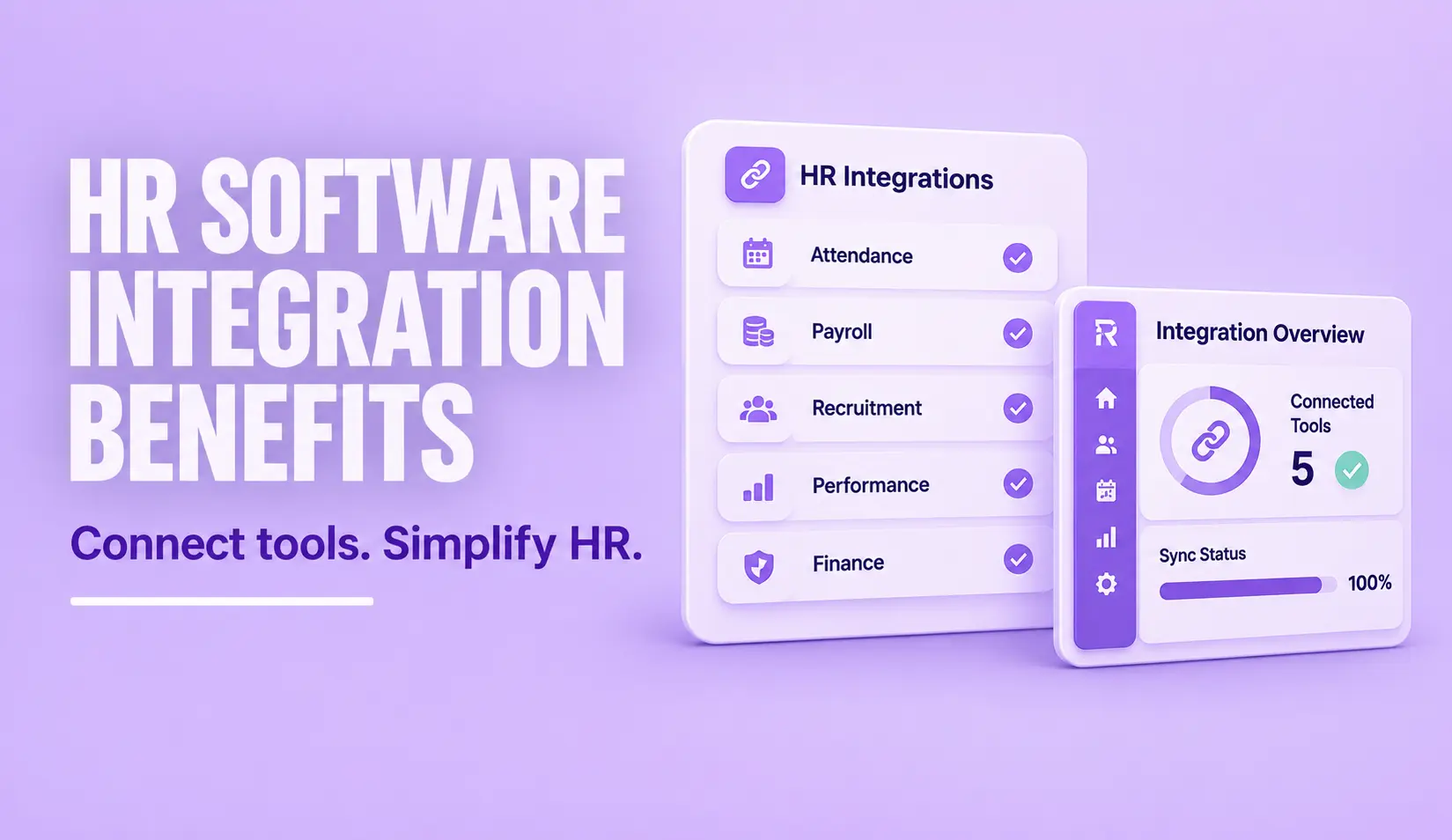
HR software integration means connecting your HR system with other tools so data moves between them automatically instead of being typed in twice. When an employee joins, their details flow from recruitment to the employee record. When attendance is recorded, it flows to payroll. When payroll closes, the figures flow to accounting.
Integrations usually work in one of two ways:
- One way. Data moves from one system to another, like attendance logs feeding payroll.
- Two way. Both systems update each other, like an employee changing a bank detail in one place and seeing it reflected in both.
Some integrations are built in, which means the vendor has already connected the tools. Others are custom, built by developers using an API. Built in options are faster to set up. Custom ones are more flexible but need someone to maintain them.
Five Signs Your HR Tools Need to Talk to Each Other
If you see any of these, disconnected systems are already costing you:
- Double entry. Someone retypes the same employee details in more than one place.
- Payroll corrections. Every month, a handful of salaries need fixing because attendance or leave data did not match.
- Slow joiners. New hires wait for accounts, devices or payroll setup because each team was told separately.
- Reports that disagree. HR, finance and operations each show a different headcount.
- No one trusts the data. People keep their own copies “just in case.”
Which Integrations Matter Most
A good HRIS integration is judged by one thing: does it remove a task someone does by hand today?
You do not need to connect everything at once. Start where mistakes hurt most.
Attendance and payroll
Payroll integration is the link that decides whether people are paid correctly. When attendance, leave and overtime flow straight into payroll, you remove the step where numbers are most often mistyped. If you want to see how this looks in practice, explore our payroll management system and attendance management system.
Time devices and mobile check in
Biometric devices, mobile apps and site kiosks all produce attendance data. Connecting them to one system means one version of the truth across offices, branches and remote staff.
Recruitment and the employee record
When a candidate accepts an offer, their information should move to onboarding without being retyped. That saves time and avoids spelling mistakes in names, numbers and bank details.
Finance and accounting
Payroll cost, benefits and reimbursements need to reach the books accurately. Connecting HR and accounting reduces month end reconciliation work.
Communication and workplace tools
Notifications, approvals and announcements work better when they reach people where they already spend their time.
A Simple Example: One New Hire, Three Systems
Picture a growing retail company hiring a store supervisor. Without integration, the recruiter keeps the offer details in one tool. HR retypes them into the employee record. Payroll retypes them again to set up the salary. Someone in IT is told by email to create an account. If any one person mistypes a bank detail or forgets an email, the new hire discovers it on their first payday.
With integration, the accepted offer creates the employee record. The record feeds attendance rules and payroll setup. The same record triggers the account request. Nobody retypes anything, and everyone sees the same start date, salary and job title. Multiply that by every joiner, leaver and transfer across the year, and the saving is large.
How to Roll Out Integrations in Four Stages
- List your tools and the data each one holds. A simple table is enough.
- Draw the flows. Mark where data is copied by hand today.
- Fix the costliest flow first. Test it with one team before you open it to everyone.
- Review after a month. Check for errors, missing records and user feedback, then move to the next flow.
What You Gain From Integration
- Accuracy. Data entered once is data entered correctly. Fewer hands mean fewer mistakes.
- Speed. Payroll, onboarding and reporting finish sooner because nobody waits for a spreadsheet.
- A clear audit trail. You can see where a number came from and who changed it, which matters during audits and employee queries.
- A better employee experience. People get correct payslips, quick approvals and faster onboarding.
- Reports you can trust. When every team reads from the same data, discussions move from “whose number is right?” to “what should we do?”
- Room to grow. Adding a new branch or fifty new employees becomes a setup task instead of a rebuild.
What to Check Before You Integrate
Before you connect two tools, ask these questions:
- Which way does the data flow? One way or two way? Which system is the source of truth for each field?
- Is it built in or custom? Built in is quicker. Custom needs a developer and ongoing care.
- Who owns it? When something breaks, someone has to be responsible. Name that person.
- How is data protected? Check how information is transferred and stored, and who can access it. Our security page explains how we approach this.
- What happens when a tool changes? If one vendor updates their product, will the connection survive?
- What does it cost? Ask about setup, licences and support, not just the headline price.
Common Mistakes
- Connecting a broken process. If your leave approval flow is unclear, connecting it to payroll simply passes confusion faster. Fix the process first.
- Too many tools. Every extra tool is another connection to build and maintain. Fewer, better tools are easier to integrate.
- No data clean up. Duplicates and outdated records will travel across every connected system.
- No owner. Integrations need a person who watches them, tests changes and handles errors.
- Forgetting the users. Managers and employees need to know what changed and why.
Do You Need Fewer Integrations Instead?
Sometimes the best integration is the one you never build. An all in one HR platform that covers attendance, leave, payroll, recruitment and performance in one place reduces the number of connections you need to maintain. You can then integrate only the outside tools you truly need, such as accounting software or access devices. Our overview of all in one HR software shows what that looks like, and our HRMS guide explains the basics.
Final Thoughts
Growth adds people, locations and complexity. Disconnected tools turn that complexity into rework. Start with the connection that causes the most errors, usually attendance to payroll, and build outward from there. Choose tools that integrate well, assign an owner, and keep your data clean. You will spend less time fixing numbers and more time using them.
Frequently Asked Questions
What is HR software integration?
HR software integration connects your HR system with other tools, such as payroll, attendance devices, recruitment and accounting software, so data moves between them automatically instead of being entered twice.
Why is HR software integration important for growing businesses?
As headcount, branches and tools increase, manual data entry causes more errors and delays. Integration keeps employee, attendance and payroll data consistent, which means faster processes, fewer corrections and more reliable reports.
What are the most important HR integrations?
For most businesses, the first priority is attendance and leave data flowing into payroll. After that, connect time devices or mobile check in, recruitment to the employee record, and payroll to accounting.
What is the difference between one way and two way integration?
In a one way integration, data moves from one system to another. In a two way integration, both systems send and receive updates, so a change made in either place appears in both.