













G2 badges for Best Usability, Users Love Us and Best Relationship, Summer 2026

Workplace management software with the right tools to run daily operations on your HR data

Manage visitors, cafeteria meals, company vehicles, staff entry and output-based pay in one workplace management system, with each tool linked to your employee records.

Workplace Management Software Trusted by Growing & Enterprise Teams of All Sizes.

Resourceinn serves 1,100+ companies across 30+ industries

The Overview What is Workplace Management Software?

Workplace management software gives teams the tools to manage daily operations across every location in one platform, covering visitors, cafeteria meals, company vehicles, staff entry, output-based pay and reporting. Each tool works from the employee records HR already keeps, so each record stays tied to the employee it involves.

Workplace management platform that connects what happens across your locations to the employee records.
Record Entry and Visits

Front-line teams register visitors against an employee host and record staff entry with employee codes, even when offline.

Manage Meals and Vehicles

Take meal bookings by shift and location to see the confirmed counts,, and keep company vehicles, trips and fuel records in one place.

Pay on Output and Review Results

Supervisors approve daily output before it is processed for pay, and HR, finance and leadership each open dashboards with their own numbers and drill-downs.

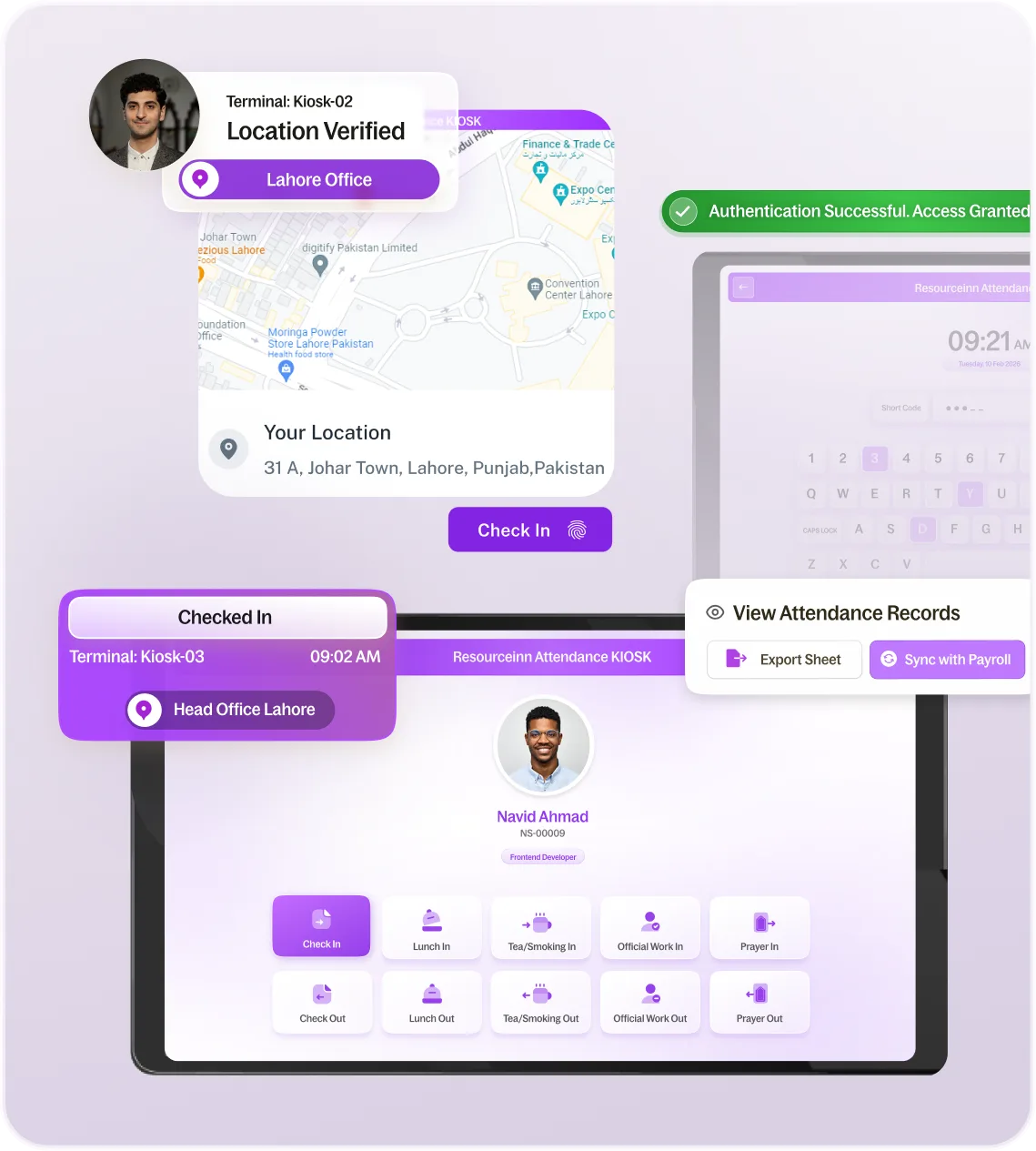
KIOSK Record staff entry where the work happens, from
the gate to the floor.

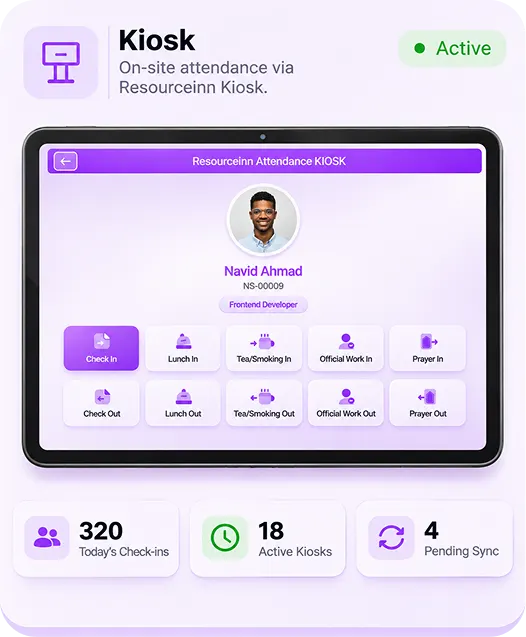
Install the kiosk app on an Android tablet at a gate, entrance or production floor, and let the whole team mark attendance and breaks from the one device using employee codes. Records stay on the tablet when the connection drops and sync to Resourceinn on their own once it returns, so attendance is ready when payroll runs.
Any standard Android device works for running the KIOSK, so there is no proprietary hardware to buy.

Explore Kiosk →

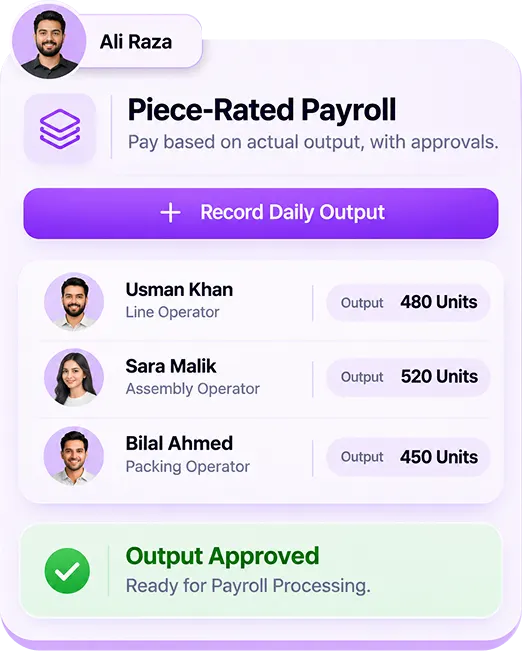
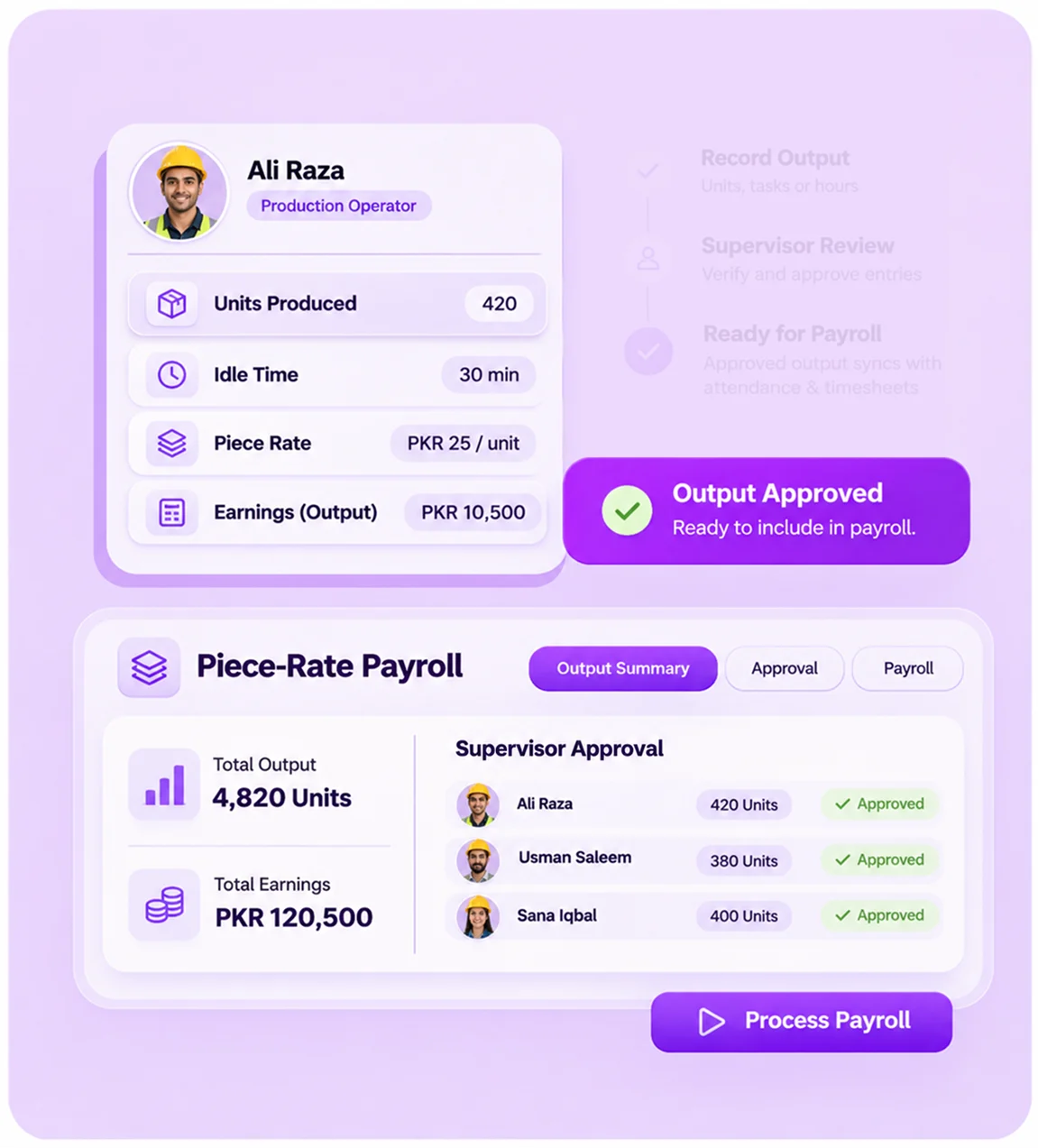
PIECE-RATED PAYROLL Pay workers for what they produce, with a supervisor's approval before payroll runs.

Set payment rules in piece rate payroll software for units, tasks or hours, then record daily output and idle time against each operator. Supervisors review and approve entries before processing, and attendance and timesheets sync in, so pay reflects both output and presence.
Time-study payroll, the second option, pays on productivity standards by converting output into standard hours paid at an hourly rate.

Explore Piece-Rate Payroll Software →

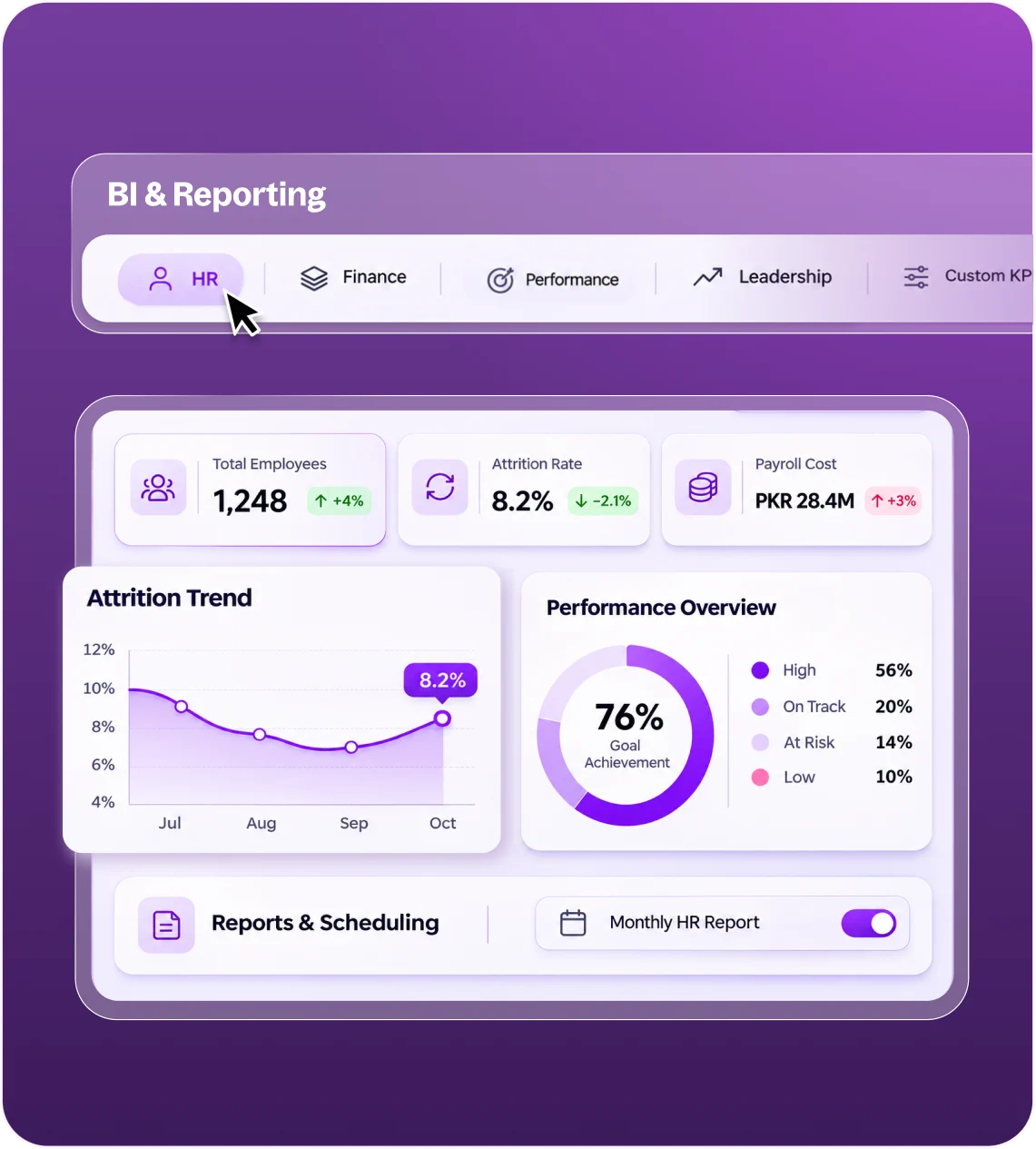
BI & REPORTING See the numbers behind
your workforce in dashboards built for each role.

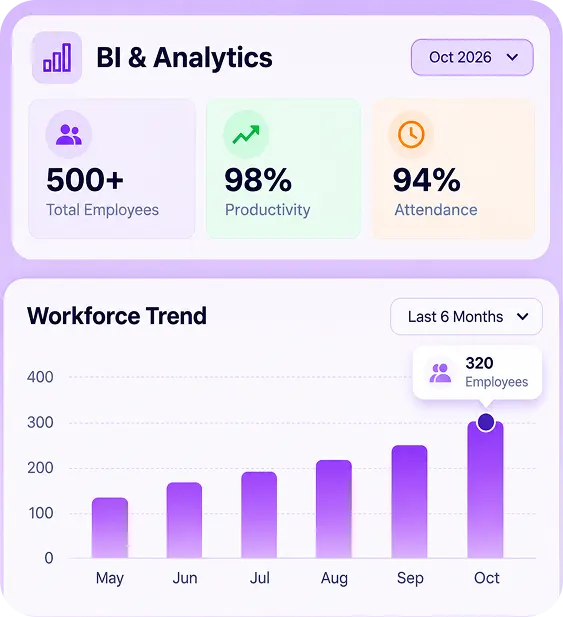
Access in-depth analysis of your HR data in hr analytics software dashboards, for the whole company or branch by branch, with charts, heatmaps and drill-downs you can filter to the question in front of you. Role-specific views show attrition to HR, payroll cost to finance and performance metrics to leadership, and custom analytics can be built across modules around your own KPIs. Leaders can weigh attrition, cost and performance on one set of figures and drill into the data behind each number before they decide.

Explore HR Analytics Software →

Keep record of who visited, which meals were booked and how each vehicle was used

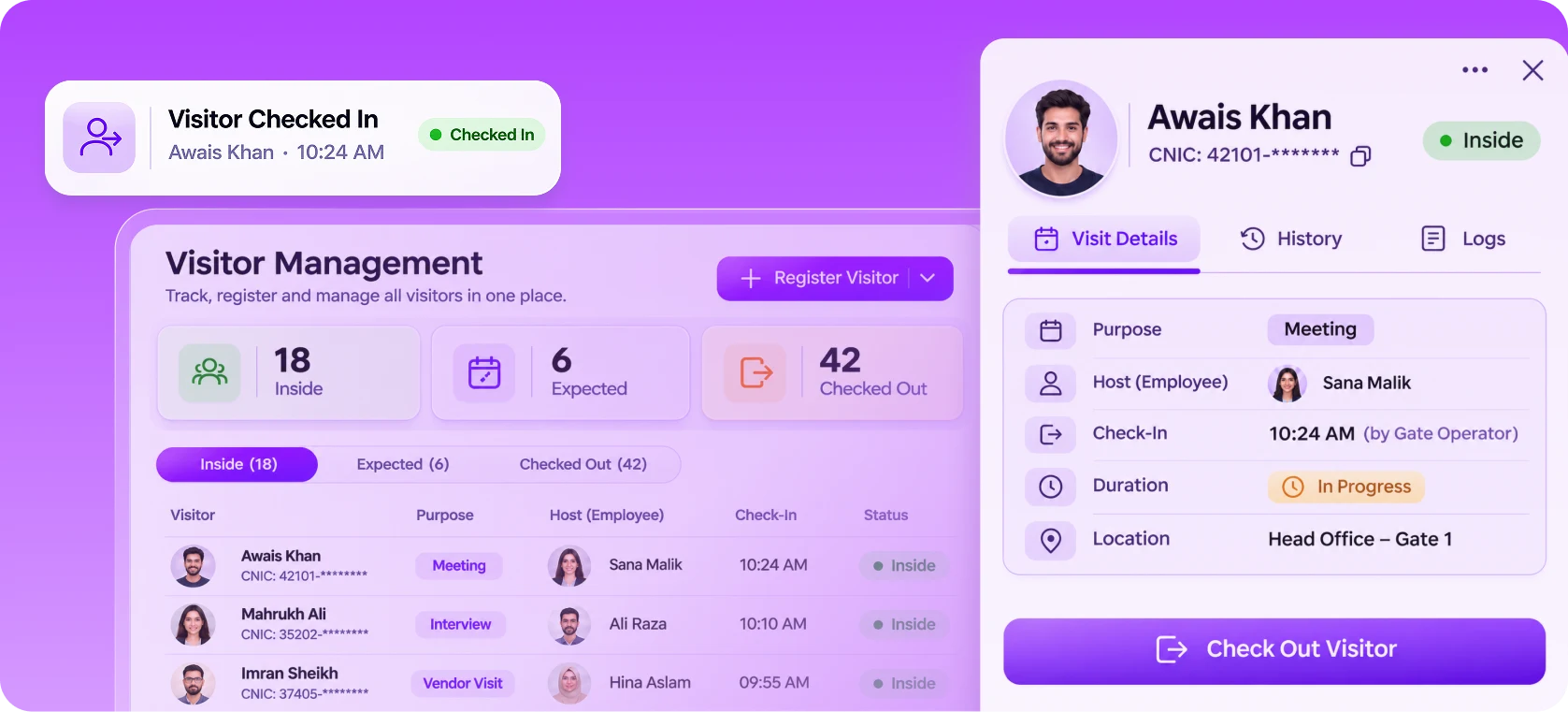
Visitor Management

Know who is inside and which employee they came to see.

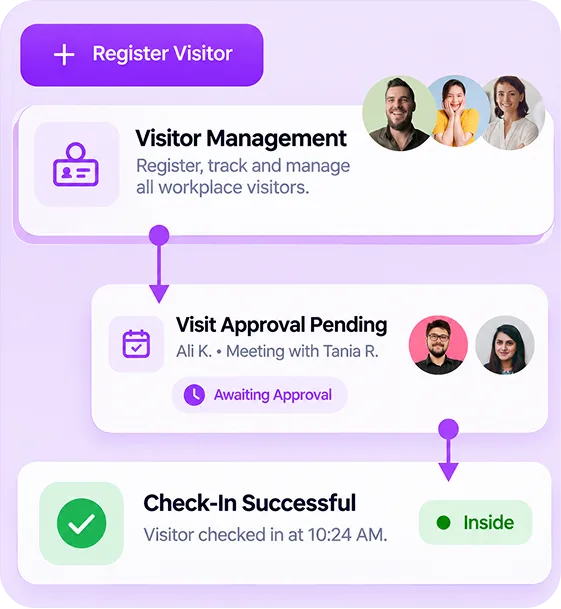
Register walk-in, scheduled and returning visitors in the visitor management system and anchor every visit to an active employee from the employee directory, so someone is always accountable for who is on the premises. Each entry and exit leaves a trail of gate, time and operator, a dashboard shows who is inside, expected and checked out, and every correction is recorded while ID numbers stay masked.

Explore Visitor Management

Cafeteria Management

Prepare each meal from the count employees have confirmed

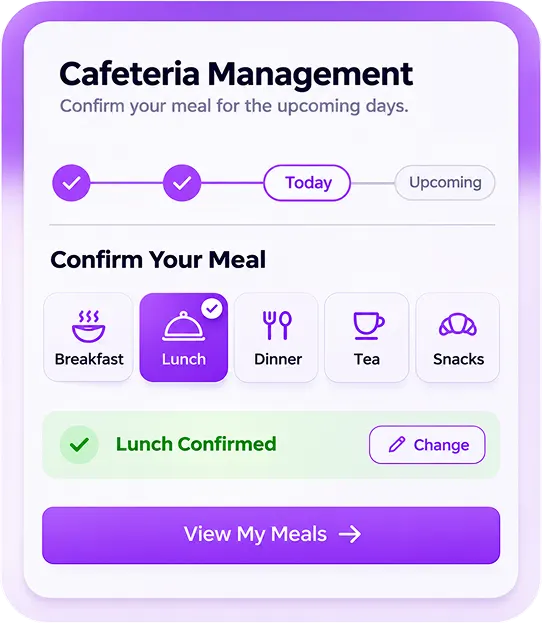
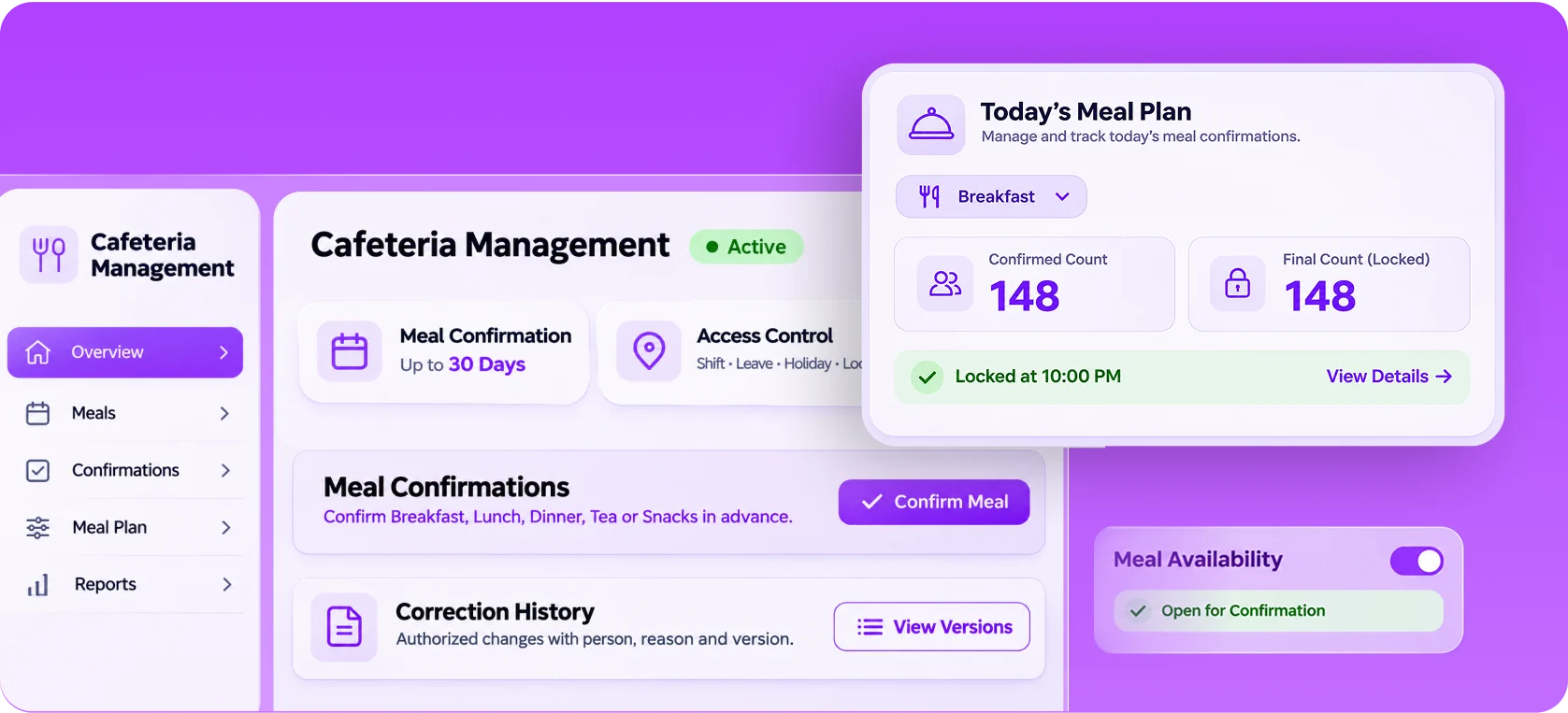
Let employees confirm Breakfast, Lunch, Dinner, Tea or Snacks through the cafeteria management system, with each meal opening only when the shift, leave, holiday, location and attendance records already kept for that employee allow it, and closed meals show why. The cafeteria sees confirmed counts for each day by branch, department, location and shift, then locks a final number at cut-off, and authorized corrections create a new version with a person and reason attached.

Explore Cafeteria Management

Fleet Operations

Keep each company vehicle, trip and cost in one record.

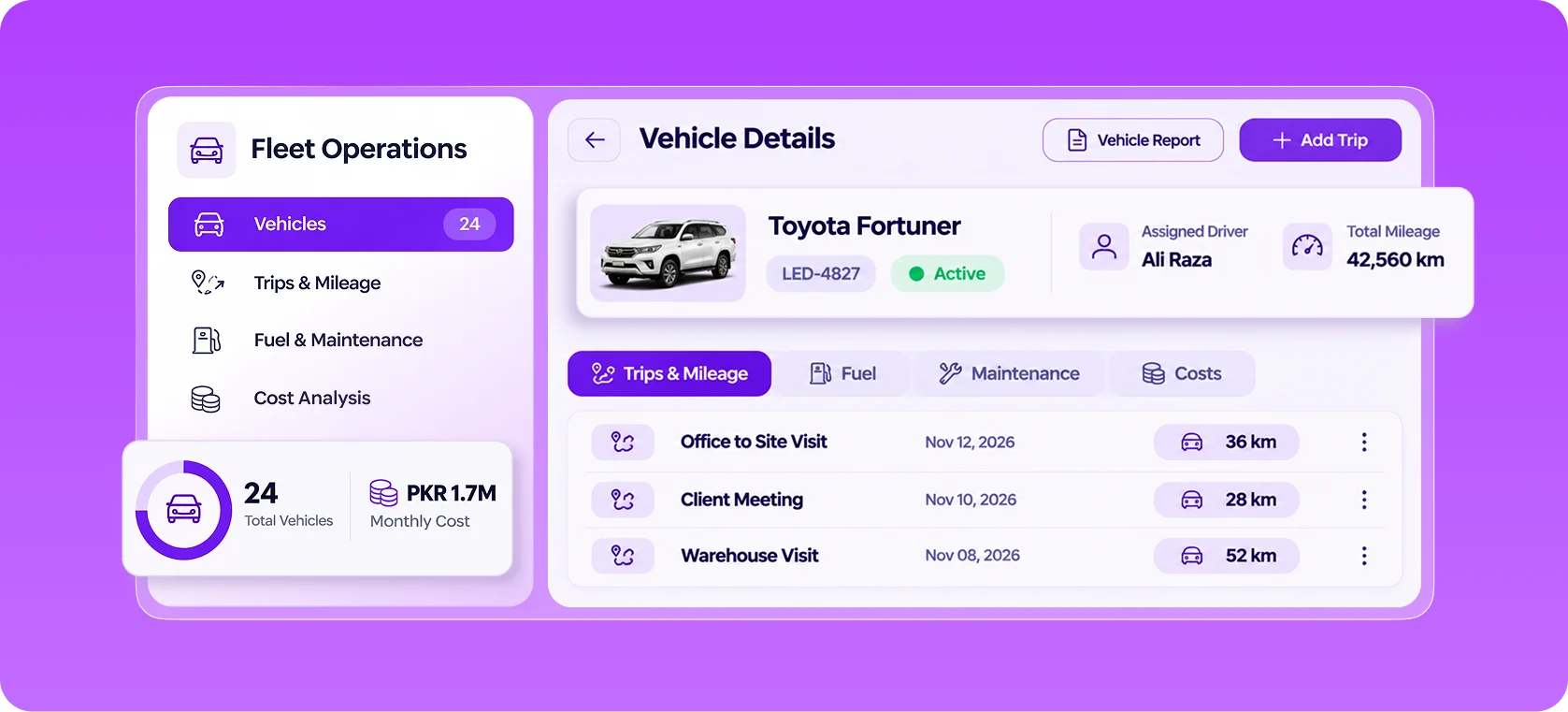
Assign vehicles and drivers in fleet management software, so each company vehicle has a named driver on record. Log trips and mileage against each vehicle to see how often and how far it is used, and keep fuel and maintenance records with the same vehicle so its running history stays together. Cost per vehicle is tracked, which lets the team that manages company vehicles review each one in a single place.

Explore Fleet Operations

Keep daily operations in sync across locations, and see how our workplace management software does it with your own process.

CompareWhat Changes for Your HR Team when
Routine Operations Move Into One System

See how daily operations change once they run in workplace management software instead of registers, tally sheets and message threads.

The old Way

Mannual & Disconnected

Visitors sign a paper logbook at the entrance, kept apart from any operations management software.

Right-pointing dotted arrow (decorative)

The Resourceinn Way

Best Choice badge

Each visitor is registered against an active employee host, and the workplace management system shows who is inside, expected and checked out.

Meal counts are collected by message and adjusted by hand for leave, holidays and shifts.

Right-pointing dotted arrow (decorative)

Employees confirm meals their shift, leave and location allow, and the kitchen works from a count that locks at cut-off.

Staff entry is signed in a register at the gate and typed into a sheet later.

Right-pointing dotted arrow (decorative)

Staff record their entry and breaks with employee codes, and records sync to Resourceinn once the connection returns.

Output is tallied on paper and multiplied by a rate in a spreadsheet at month end.

Right-pointing dotted arrow (decorative)

Piece-rated payroll maps daily output and hours to productivity, per piece or in standard hours through time-study, with supervisor approval.

SUITES

Explore More Suites for a Smarter Workforce

Each suite covers one part of people operations and shares the same employee records. Explore the rest of Resourceinn’s HR management software.

See Catalogue
Workforce management suite icon

Workforce Management

Plan shifts, record attendance and handle leave for all your teams.

Learn more →
Right-pointing arrow icon
HRIS and employee lifecycle suite icon

HRIS & Employee Lifecycle

Keep every employee record, from first day to last, in one place.

Learn more →
Right-pointing arrow icon
Resourceinn HR platform suite icon

Platform

Control access, report on your workforce and connect your tools.

Learn more →
Right-pointing arrow icon
Talent management suite icon

Talent Management

Hire people, review performance and plan training and headcount.

Learn more →
Right-pointing arrow icon
Employee experience suite icon

Employee Experience

Hear from employees, recognize good work and offer self-service.

Learn more →
Right-pointing arrow icon
Finance and payroll suite icon

Finance

Pay people and manage provident fund, overtime, loans and expenses.

Learn more →
Right-pointing arrow icon

Client Success StoriesWorkplace Management Software in Practice

See how site teams use Resourceinn to register visitors, book meals, track vehicles and
pay by output from one employee record.

Manafa logo – Resourceinn HRMS client Manafa Tech

We can see the whole employee directory along with their attendance, leaves records, and performance.

10 to 12 Hrs

Of manual HR work saved every week, with the full employee directory in one system for 90+ employees.

  • 90+ Employees
  • 3.5 Years on Resourceinn
Read Customer Story →
Datics logo – Resourceinn HRMS client Datics AI

Resourceinn has been managing many HR processes for us such as recruitment, performance, payroll, and attendance.

100%

Centralized data management, after HR processes that were disconnected were brought into one system.

  • 75 Employees
  • 1 Year on Resourceinn
Read Customer Story →
Rasco Pharma logo – Resourceinn HRMS client Rasco Pharma

Because we have different shifts working in our company, Resourceinn delivered this very efficiently helping us in managing workforce effectively by aligning different shifts and streamlining the whole process.

100%

Shift and roster management automated across all departments, for 250 employees on multiple shifts.

  • 250 Employees on shifts
  • 4+ Years on Resourceinn
Read Customer Story →
Novamed Group of Companies logo – Resourceinn HRMS client NovaMed Pharmaceuticals

With Resourceinn, anything that needs to be recalled is just one click or filter away, with dates, time, and audit-trail.

80%

Less manual record keeping, after HR data moved from scattered files to one digital source of truth.

  • 570+ Employees
  • 4+ Years on Resourceinn
Read Customer Story →
See All Case Studies

Who it's Ideal for Built for Teams Like Yours

Whatever the industry or the size of the business, Resourceinn's workplace management software gives teams one system with six tools for visitors, meals, vehicles, staff entry, output-based pay and reporting.
Let’s get started.

See workplace management software on your own site routine

Tell us how attendance, visitors, meals and output are handled today, and we will show where each step lives in our workplace management software.

See current plans and pricing

Let’s Connect Take the First Step!

Resourceinn Frequently Asked Questions