
An employee resigns on a Friday. HR updates her record, finance starts her final settlement, and her manager collects the laptop. On Monday, her login to the payroll portal still works. Each team assumed another team had sent the message.
That gap is exactly what the joiner mover leaver process exists to close. It ties every change in a person’s system access to a change in their employment record. This guide explains how the process works, why HR should own the trigger, and where most companies quietly lose control.
What Is the Joiner Mover Leaver Process?
The joiner mover leaver process, often shortened to JML, is the set of steps a company follows to give, change, and remove system access as people join, change roles, and leave. It is the people side of identity lifecycle management. Every account a person holds should exist because of a fact in their employment record, and it should change when that fact changes.
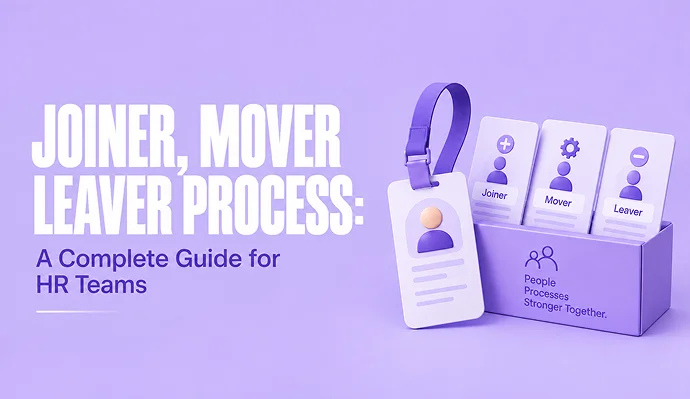
It has three stages:
- Joiner: a new hire or contractor gets the accounts, devices, and permissions their role needs, ready for day one.
- Mover: someone changes department, title, manager, or location, and their access is adjusted to match the new role. Old permissions are removed, not only new ones added.
- Leaver: someone’s employment ends, so their access is disabled, company data is preserved, and equipment is recovered
The idea is simple. The difficulty is that every event starts in HR, while the accounts live with IT and inside every business app the person uses. Joiner mover leaver works only when those two sides share one record and one set of rules.
How the Joiner Mover Leaver Process Works
Each stage follows the same pattern: a change is recorded, the change triggers an action, and someone confirms the action happened.
Joiner: Access Ready on Day One
The joiner stage starts when HR creates the employee record, usually once an offer is accepted. That record holds the facts that decide access: job title, department, manager, location, and start date. In a working process, those fields drive account creation directly, so IT is not reading an email and retyping a name. This is what people mean by HR driven provisioning. It also belongs with your wider employee onboarding best practices, because a new hire who can’t log in loses their first day.
Mover: Change Access When the Role Changes
A mover event happens whenever a field that drives access changes: a promotion, a transfer, a new manager, or a move to another branch. The correct response has two halves. Add what the new role needs, and remove what the old role no longer justifies. Most companies only do the first half.
Leaver: Close Access on the Last Day
The leaver stage starts when HR records a separation date. From that point, accounts are disabled on an agreed timeline, mailboxes and files are handed to a manager, and devices are returned. A resignation with a notice period can be planned to the hour. A dismissal usually needs access removed before or during the exit meeting.
Why HR Should Own the Trigger
IT owns the technical steps. HR should own the trigger. The reason is practical: HR is the only team that reliably knows when someone starts, moves, or leaves, because those events are recorded in the HRIS first. If the trigger depends on a manager remembering to raise an IT ticket, it will be late or missing some of the time.
Security frameworks point the same way. NIST SP 800-53, the US federal catalog of security controls, includes an account management control that tells organizations to align account processes with personnel termination and transfer processes. The EPA’s access control procedure, which is built on NIST SP 800-53, requires accounts of high-risk individuals to be disabled immediately and no later than one hour.
Owning the trigger does not mean HR clicks buttons in a directory. It means three things:
- The employee record is the single source of truth for status, role, manager, and dates.
- Every joiner, mover, and leaver change is entered in that record first, and on time.
- Those changes reach IT automatically, or through one defined handoff, never through a chain of emails.
That third point depends on clean employee data. If job titles and departments are entered differently from one record to the next, no rule can map them to the right access.
Where JML Breaks: Privilege Creep and Orphaned Accounts
Most JML failures build up quietly, in two ways.
Privilege creep is what happens when movers keep their old access. A sales executive moves to marketing and keeps her CRM admin rights. Two years later she moves again and keeps those too. Each change looked harmless, but the result is one person with access to far more than any single role needs. The mover stage is where privilege creep starts, because nobody is assigned to remove anything.
Orphaned accounts are accounts that no longer belong to an active employee. They come from leavers whose access was missed, usually in tools outside the main directory: a shared drive, a payroll portal, or a vendor dashboard someone signed up for with a work email. Nobody watches these accounts, which makes them a standing security risk.
Both problems have the same fix: a regular access review. Once a quarter or once every six months, managers confirm that each person on their team still needs the access they hold. Run the access review from the HR record, so the list starts with who works here and in what role, not with whatever the directory happens to contain.
Provisioning and Deprovisioning: Who Does What
Provisioning and deprovisioning are the technical halves of the process: creating access, then removing it. A written split of responsibilities stops each team from assuming the other has it covered.
| Task | Owner |
| Record start date, role, manager, and end date | HR |
| Trigger the joiner, mover, or leaver workflow | HR |
| Approve what access a role needs | Line manager |
| Create, change, and disable accounts | IT |
| Recover devices and hand over data | IT and line manager |
| Review access and keep a record of changes | HR and IT together |
Agree on timelines as well as owners. For example, accounts for planned leavers are disabled at close of business on the last working day, and accounts for dismissed employees are disabled before the exit meeting ends. A written rule for provisioning and deprovisioning removes the guesswork.
Identity Lifecycle Management Without a Big IAM Budget
You don’t need a dedicated identity governance tool. You can get most of the benefit of identity lifecycle management with a smaller set of habits:
- Map roles to access. List the systems each role needs, starting with your ten most common roles.
- Make the HR record the trigger. Agree that no account is created, changed, or removed without a matching change in the employee record.
- Connect systems where you can. Use integrations to connect your HR system to the tools people use, starting with automated user provisioning for your main directory, then adding other apps.
- Keep a leaver checklist for anything that can’t be automated, with a named owner for each line.
- Review access on a schedule and log what was removed and why.
Before you connect anything, check your vendor’s data security practices so you know how employee data moves between systems. Then treat JML as one part of the wider employee life cycle, not as a separate IT project.
Start With the Record
A joiner mover leaver process works when everyone trusts the same record. Get the employee data right, agree who triggers what, and remove access as carefully as you grant it. Do those three things, and the Monday login that should have stopped working on Friday becomes a problem you no longer have.
Frequently Asked Questions
Who should own the joiner mover leaver process, HR or IT?
HR should own the trigger and IT should own the technical steps. HR is the source of truth for when someone starts, changes roles, or leaves, so those events should begin in the HR record. IT then creates, changes, or disables accounts based on that record.
How quickly should a leaver lose access?
Agree on a rule in advance. For planned departures, a common approach is to disable access at the end of the last working day. For dismissals, access is usually removed before or during the exit meeting. Some organizations, such as US federal agencies following NIST guidance, set deadlines as short as one hour for high-risk cases.
What is privilege creep?
Privilege creep is the gradual build-up of access rights a person no longer needs. It usually happens when employees change roles and receive new permissions without losing the old ones. Regular access reviews and a strict mover process prevent it.
What is the difference between provisioning and deprovisioning?
Provisioning is creating accounts and granting access when someone joins or changes roles. Deprovisioning is removing or disabling that access when it is no longer needed, such as when someone leaves or moves to a role that does not require it.
Why does the mover stage fail most often?
Joiners and leavers are obvious events, but role changes are easy to miss. A transfer or promotion often reaches IT only as a request for new access, so old permissions stay in place. Treating every change in job title, department, or manager as a trigger fixes this.